

What sets successful law firms apart online is more than just stylish design. For small and mid-sized firms in Southern California, making your website both legally compliant and easy to use is the foundation of attracting clients from bigger competitors. Prioritizing ADA accessibility, data privacy, and effortless user experience not only protects your firm but ensures visitors can quickly engage and take action. This article breaks down key steps to assess, upgrade, and monitor your website for maximum client conversion.
Table of Contents
- Step 1: Assess Current Website Compliance And UX
- Step 2: Implement Legal-Focused Conversion Elements
- Step 3: Optimize Calls-To-Action For Attorney Leads
- Step 4: Leverage AI Tools For Conversion Tracking
- Step 5: Verify And Refine Website Performance
Quick Summary
| Main Insight | Detailed Explanation |
|---|---|
| 1. Assess website compliance | Ensure your website meets legal standards for accessibility and data privacy to avoid lawsuits and penalties. |
| 2. Enhance user experience | Streamline navigation and improve clarity to help visitors easily find information, leading to higher engagement. |
| 3. Optimize conversion elements | Use clear and specific calls-to-action that address client needs to boost lead generation and trust. |
| 4. Implement AI for tracking | Utilize AI tools for conversion tracking to analyze user behavior and refine your marketing strategies effectively. |
| 5. Measure performance changes | Regularly track your website’s metrics post-implementation to evaluate the impact of changes and identify areas for further improvement. |
Step 1: Assess current website compliance and UX
Your website is often the first impression potential clients have of your firm. Before you can optimize for conversions, you need to understand where your site stands right now, both legally and from a user perspective. This step involves auditing your current website against compliance requirements and evaluating how smoothly visitors can navigate and complete actions on your site.
Start by checking your accessibility compliance. Your website must meet Americans with Disabilities Act requirements, which means it needs to be navigable and usable for clients with disabilities. This isn’t optional, and the legal exposure is real. Beyond the legal obligation, accessible design improves the experience for everyone, not just users with disabilities. Next, examine your data privacy setup. Your firm collects client information through contact forms, consultation requests, and other means. You’re required to handle this data properly under laws like the CCPA and CPRA. Review your privacy policy, check that your forms use HTTPS encryption, and verify you’re collecting only the data you actually need. If you’re handling any data from users in Europe or doing international business, GDPR compliance matters too. Many law firms overlook this until they face a compliance issue, so don’t skip it.
Now shift your focus to user experience. Walk through your website as if you’ve never seen it before. Can you quickly find information about your practice areas? Do attorney bios load easily? Is it obvious how to contact your firm, and does it take more than two clicks to reach a contact form or phone number? Effective UX design ensures effortless navigation and clarity around what you offer. Track your current metrics too. How long do visitors stay on your site before leaving? What’s your bounce rate on key pages like your practice area pages? These numbers show you exactly where people are getting frustrated and leaving without taking action. Pull reports from Google Analytics to see which pages perform well and which ones cause people to exit. For Southern California law firms competing against larger firms, you can’t afford to have a site that confuses or frustrates potential clients. Every friction point costs you cases.
Pro tip: Create a simple spreadsheet documenting your current site’s strengths and weaknesses across compliance, accessibility, navigation, and mobile responsiveness, then prioritize fixes based on which issues directly block conversions or create legal risk.
Here’s a quick comparison of four essential legal website compliance standards and their impact on law firms:
| Standard | Applies To | Main Requirement | Risk if Ignored |
|---|---|---|---|
| ADA | All U.S. websites | Accessibility for disabled | Lawsuits, lost trust |
| CCPA/CPRA | California users | Data privacy protection | Fines, client complaints |
| GDPR | European interactions | Data handling transparency | Hefty European penalties |
| HTTPS Encryption | All websites | Secure data transmission | Data breaches, reputational loss |
Step 2: Implement legal-focused conversion elements
Now that you understand your current state, it’s time to add conversion elements specifically designed for legal services. These aren’t generic website features; they address what potential clients expect from law firms and what regulatory bodies require you to display.
Start with transparency about pricing and services. Clients want to know what you charge and what you actually do before they pick up the phone. Create clear, straightforward descriptions of your practice areas. Instead of vague language like “We handle complex litigation,” be specific: “We represent small business owners in commercial disputes, with an average resolution time of six months.” This specificity builds trust and filters for qualified leads. Next, add compliant disclaimers and regulatory information prominently on your site. Clients need to see your bar credentials, any disciplinary history (if applicable), and information about how to file a complaint against your firm. Yes, displaying a complaints procedure seems counterintuitive for conversion, but it actually increases trust. Potential clients know law firms are regulated, and seeing a transparent process reassures them you’re legitimate.

Build your intake flow around conversion. Your contact forms should ask for the minimum information needed to qualify a lead. If you ask for fifteen fields, people abandon the form. Ask for name, phone, email, case type, and brief description of their situation. That’s often enough to determine if they’re a fit. Make your call-to-action buttons obvious. “Get a free consultation” converts better than “Contact us.” Place contact information above the fold on every major page. Don’t make visitors scroll to find your phone number. Consider adding live chat for immediate questions, especially for evening visitors who can’t reach you during business hours. Include attorney bios with photos and specific case experience. Clients want to know who they’re hiring. A bio saying “John Smith handles family law” is forgettable. A bio saying “John Smith has resolved over 300 custody disputes and has a track record of securing favorable parenting schedules for working parents” gives potential clients a reason to call.
Add social proof elements strategically. Client testimonials and case results (within ethical guidelines) show that you deliver results. If you’ve won a significant settlement or saved a client money, mention it. These conversion elements work together to move hesitant visitors toward taking action.
Pro tip: Audit your site’s calls-to-action and remove any that use generic language like “submit” or “learn more,” replacing them with benefit-driven language like “schedule my free consultation” or “discuss my case with an attorney.”
Step 3: Optimize calls-to-action for attorney leads
Your calls-to-action are the bridge between interest and action. A weak CTA leaves potential clients wondering what to do next, while a strong one converts visitors into leads. This step focuses on crafting CTAs that speak directly to what prospective clients need and remove friction from taking the next step.
Start by understanding what drives legal clients to act. They’re not buying a product. They’re scared, confused, or in urgent need of help. Their mindset centers on one question: what will this attorney do for me? Your CTAs must answer that question immediately. Generic language like “Contact us” or “Learn more” fails because it doesn’t address their concern. Strong lawyer CTAs incorporate action verbs and value-centric language that speaks directly to the client’s situation. Instead of “Submit a form,” try “Get your free case evaluation.” Instead of “Call us,” try “Discuss your divorce options with a family law attorney.” The difference is enormous. One tells people what to do. The other tells them what they get and why it matters. Use specific, immediate action verbs. Schedule, call, request, claim, or discuss. These words trigger action far more effectively than passive language like “explore” or “discover.” For law firms in Southern California competing with larger practices, your CTAs are often the only differentiator on a crowded page.
Next, customize your CTAs based on where visitors are in their decision journey. A visitor on your home page might see “Schedule my free consultation.” A visitor deep in your practice area page might see “Call now to discuss my case.” Someone reading a blog post about divorce procedures might see “Get answers from our attorney in a 15-minute call.” This approach, called lead generation for attorneys that converts, recognizes that different visitors need different nudges. Test your CTA placement and wording relentlessly. Put CTAs above the fold on every page. Use contrasting colors to make them stand out. Place them at natural decision points, not randomly scattered throughout your site. Track which CTAs convert best through your analytics, then replicate that language across your site. Some firms find that “Schedule a free consultation” converts better than “Book an appointment.” Others find phone-based CTAs outperform form submissions. Your audience will tell you what works if you pay attention.
Pro tip: A/B test two versions of your primary CTA on your homepage for two weeks each, measuring conversion rates closely, then implement the winner across all secondary pages."
Step 4: Leverage AI tools for conversion tracking
Manual tracking of website conversions drains time and introduces errors. AI-powered tools eliminate guesswork and show you exactly where potential clients drop off, what causes them to take action, and how to improve your conversion funnel. This step focuses on implementing AI tools that monitor and optimize your conversion process automatically.
Start by setting up comprehensive tracking across your entire intake process. You need visibility into what happens from the moment someone lands on your site through their final contact with your firm. AI-powered legal intake link tracking tools monitor real-time interactions from initial contact through conversion, analyzing form opens, drop-offs, and follow-up engagement across channels. This means you can see exactly where visitors abandon your contact form, which practice area pages convert best, and which CTAs drive the most qualified leads. If your contact form has a 40% abandonment rate after the second question, the tool shows you that immediately. You can then simplify that question or restructure your form. If your family law page converts at twice the rate of your personal injury page, you know where to focus your marketing budget. The data guides your decisions instead of your guesses.
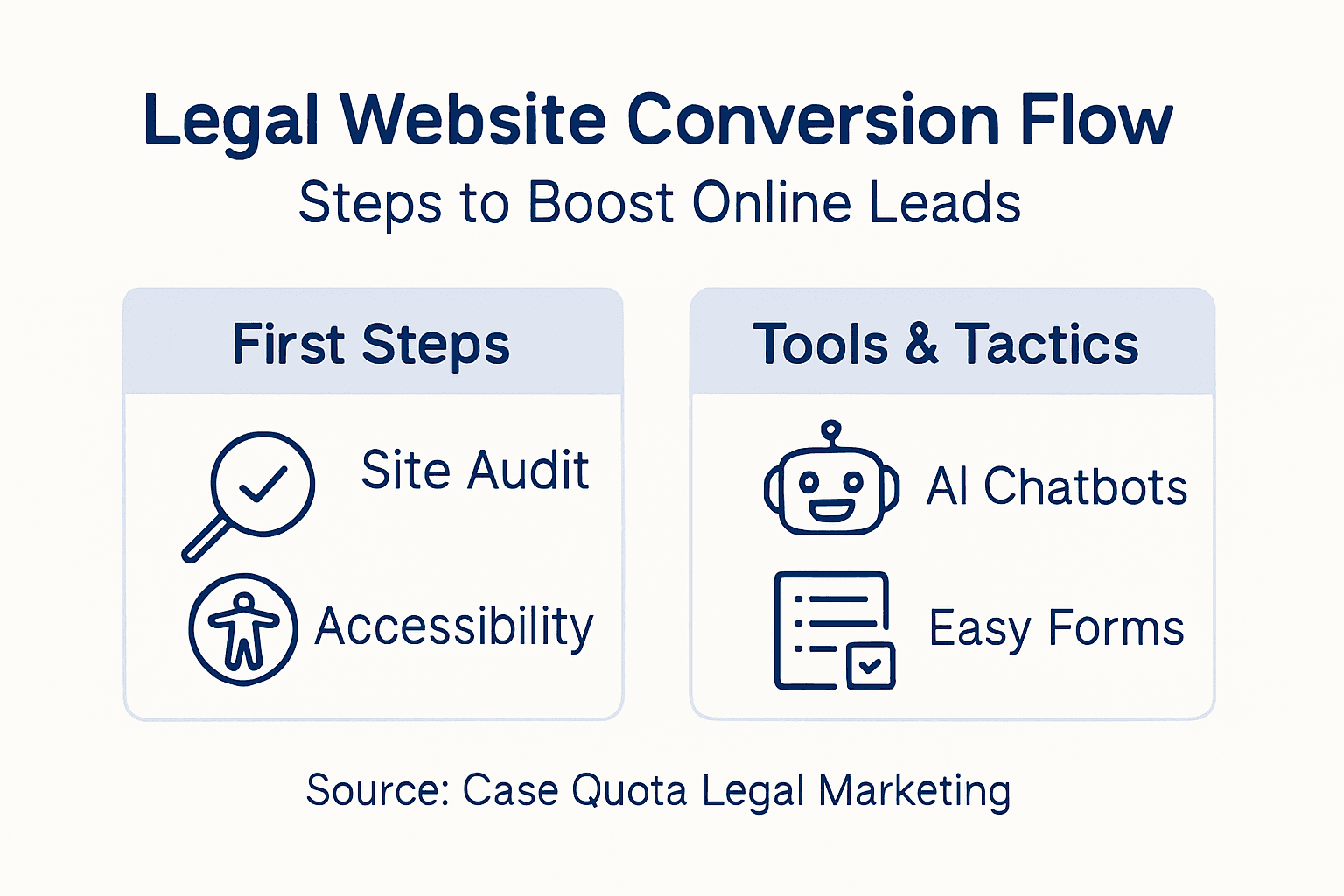
Next, implement AI chatbots and automated scheduling tools on your website. These tools handle initial client inquiries instantly, qualifying leads before they even speak to a human. A visitor asking about your bankruptcy services at 11 PM gets an immediate response explaining your process and offering to schedule a consultation. That responsiveness converts browsers into leads. AI integration in law firm marketing enhances client engagement and conversion by providing instant, personalized service through chatbots and scheduling tools. Firms using AI report increased lead conversion and reduced client acquisition costs. The automation also handles follow-ups. If someone fills out a contact form but doesn’t schedule a call, an AI tool can send them a personalized follow-up email at the optimal time, reminding them why they contacted you and making scheduling effortless. For small to mid-sized firms in Southern California, this automation levels the playing field against larger competitors who have dedicated staff for lead follow-up. You get the same responsiveness without the overhead.
Pro tip: Start with tracking your three most important conversion points (contact form submissions, phone calls, and appointment bookings), then expand to secondary metrics once you’ve optimized those core conversions.
Here’s how top conversion tracking tools leverage AI to benefit law firms:
| Tool Type | Main Function | Business Impact |
|---|---|---|
| AI Intake Tracking | Real-time visitor analysis | Pinpoint drop-off, optimize leads |
| AI Chatbot | Immediate client engagement | Qualifies leads instantly |
| AI Scheduler | Automated appointment setup | Boosts conversion during off-hours |
| AI Follow-up Automation | Personalized reminders | Increases scheduled consultations |
Step 5: Verify and refine website performance
You’ve implemented changes across your website. Now comes the critical part: measuring whether those changes actually work. This step focuses on analyzing your website performance data, identifying what’s working, and making targeted improvements based on real user behavior.
Start by establishing your baseline metrics before making any major changes. You need to know where you stood before optimization so you can measure progress accurately. Pull reports from Google Analytics and document your current numbers. Strategic website traffic analysis for law firms involves tracking key metrics like unique visitors, session duration, bounce rate, and conversion rate to assess online visibility, user engagement, and lead generation effectiveness. Unique visitors tell you how many people are finding your site. Session duration shows how long they stay. Bounce rate reveals how many leave without taking any action. Conversion rate is the percentage of visitors who actually contact your firm or complete a desired action. These four metrics paint a clear picture of your website’s health. If your bounce rate on your practice area pages sits at 60 percent, that’s a problem. People aren’t staying long enough to understand what you do. If your average session duration is under 30 seconds, visitors aren’t engaging with your content. These metrics aren’t just numbers. They point directly to problems you need to fix.
Once you have your baseline, implement one or two changes at a time and track the results. If you redesign your contact form to ask fewer questions, measure whether form submissions increase over the next month. If you change your CTA button color from blue to red, track whether clicks go up. Change too many things at once and you won’t know what actually moved the needle. Give each change at least two to four weeks before evaluating results, as traffic fluctuates week to week. Track your conversion funnel too. Of the people who view your home page, how many visit a practice area page? Of those who visit a practice area page, how many click your CTA? Of those who click your CTA, how many actually fill out the contact form? Of those who fill out the form, how many become clients? Each step in this funnel shows you where people drop off. If 50 percent of visitors leave after viewing your home page, your messaging or navigation needs work. If visitors reach your practice area page but 80 percent abandon before clicking a CTA, your description of your services isn’t compelling enough. The data tells you exactly where to focus.
Pro tip: Create a simple monthly performance dashboard tracking your top five metrics, then schedule a 30-minute review session each month to identify the single biggest opportunity for improvement that quarter.
Boost Your Law Firm’s Website Conversion with Expert Legal Marketing Solutions
Struggling to turn website visitors into qualified attorney leads is a common challenge for Southern California law firms. The article highlights critical issues like ADA and GDPR compliance, user experience pitfalls, vague calls-to-action, and the need for AI-powered conversion tracking. These pain points can cost your firm valuable cases and create legal risks if not addressed with precision. You want a website that not only meets legal standards but also guides potential clients swiftly and confidently to contact your firm. Building trust through transparency, clear messaging, and optimized intake flows are essential steps to standing out against larger competitors.
At Case Quota, we specialize in customized digital marketing strategies tailored exclusively for legal practices. Our expertise spans from SEO-optimized web design that enhances accessibility and user experience to implementing AI-powered tools that track leads and automate client engagement. By leveraging proven lawyer-focused calls-to-action and finely tuned intake processes, we help small to mid-sized law firms unlock higher conversion rates and build a stronger client base. Discover how our comprehensive marketing services can convert your website traffic into real cases today.
Explore our solutions to elevate your firm’s online presence and turn browsers into loyal clients.
See how AI tools boost conversion tracking and improve intake efficiency.
Learn about strategic digital marketing for law firms designed to outsmart bigger competitors.

Take control of your law firm’s growth now by partnering with Case Quota. Contact us today to schedule a personalized consultation that transforms your online strategy into measurable results.
Frequently Asked Questions
How can I assess my law firm’s website compliance and user experience?
Start by conducting an audit to evaluate your site’s adherence to legal standards, such as the Americans with Disabilities Act, CCPA, and GDPR. Use a simple spreadsheet to document strengths and weaknesses, focusing on navigation and accessibility, and prioritize fixes to enhance conversions within 30 days.
What are effective ways to implement legal-focused conversion elements on my site?
Create clear and specific descriptions for your practice areas, and include transparent pricing information. Additionally, add compliant disclaimers and make sure your contact forms are straightforward; aim to reduce form fields to five essential items to increase submissions by about 25%.
How should I optimize calls-to-action for potential legal clients?
Use action-oriented and value-driven language in your calls-to-action, such as “Get your free case evaluation” rather than generic phrases. Customize CTAs based on the visitor’s journey to drive engagement and test different placements for effectiveness within a few weeks.
What AI tools can help track conversions for my law firm?
Implement AI-powered tracking tools that monitor visitor interactions, allowing you to identify where clients drop off in your conversion process. Set up these tools to track your three most important conversion points, aiming for insights within two weeks to inform targeted improvements.
How can I evaluate the impact of changes made to my law firm’s website?
Establish baseline metrics before making any significant changes by using analytics to track unique visitors, bounce rates, and conversion rates. After implementing adjustments, measure results systematically over the next four weeks to identify what has improved and where further adjustments are needed.