

DocuPost mail automation for law firms: Cut Mail Time, Improve Billing, and Track Every Letter
Law firms spend hours on routine mail tasks, and those hours add up. Filing, printing, folding, addressing, and reconciliation create bottlenecks and errors. DocuPost mail automation for law firms replaces manual steps with secure digital workflows. As a result, teams save time and reduce billing gaps.
DocuPost connects printing, postage, and tracking into one virtual mail automation platform. Because it logs every mailing to matters and contacts, firms gain a clear audit trail. The service supports First Class Mail, Certified Mail, and Priority Mail with tracking. Therefore, billing becomes simpler and client reconciliation improves.
Integration with practice management systems eliminates duplicate data entry. For example, DocuPost syncs contacts and matters directly from Clio, so addresses never get retyped. Every mailing records postage and expense details back to the matter for accurate billing. As a result, firms can bill faster and avoid missed recovery opportunities.
This introduction explains how DocuPost simplifies mail workflows for law firms. Read on to learn implementation steps, integration tips, and cost models. Meanwhile, the examples show real savings and measurable time reductions.
Pricing starts at 95 cents per letter, with black and white or color options available. Moreover, there is no subscription and no minimum usage, so firms pay only for what they send. Because DocuPost refunds the first month for Premium and Enterprise plans, adoption faces low risk. Therefore, small boutiques and large firms can test workflows without long commitments.
The platform also integrates with accounting and CRM tools for end to end reconciliation. As a result, time spent on mailing drops and revenue capture improves. Keep reading to see step by step setup, common use cases, and client stories.
DocuPost mail automation for law firms: Key Features
DocuPost mail automation for law firms brings physical mail into secure digital workflows. Because law firms face tight deadlines and compliance requirements, the platform focuses on speed and accuracy. As a result, teams spend less time folding, stuffing, and reconciling mail. Below are the core features that matter to legal teams.
Mail options and postage
- First Class Mail, Certified Mail, and Priority Mail are supported with full tracking. Therefore, firms can choose the service that fits urgency and proof needs.
- Return receipt options are available for proof of delivery. Because certified or priority services include tracking, audit readiness improves.
- Pricing begins at 95¢ per letter, with per piece pricing that removes the need for large print runs.
Printing and presentation
- Choose black and white or color printing for court documents and client letters. As a result, documents maintain professional quality.
- DocuPost handles printing, folding, inserting, and postage so staff do not touch confidential paper. Therefore, security and chain of custody improve.
Pricing model and usage
- No subscription and no minimum usage means pay for what you send. This model suits small boutique firms and large practices alike.
- The platform offers Premium and Enterprise plans for high volume customers, and DocuPost refunds the first month for those plans. Therefore, firms can trial the service with limited risk.
Tracking, logging, and billing reconciliation
- Every mailing is tracked and logged back to the corresponding matter or contact for a clear audit trail. Consequently, firms can prove mail delivery during audits.
- Postage, printing, and mailing costs sync in real time so expense attribution and billing reconciliation happen automatically. Because billing details are captured per matter, recovery rates improve.
Seamless Integration Benefits with DocuPost
DocuPost integrates with major legal and business systems to remove duplicate entry. In May 2026, DocuPost released a native integration with Clio so users can send mail directly from a Matter, Contact, or Document in Clio. See Clio for more details.
Other integrations include Filevine, HubSpot, QuickBooks Online, Xero, and Zapier. Because contacts and matters sync automatically, address retyping disappears and errors drop. As a result, adoption is faster and training time shortens.
Benefits in practice
- Reduced administrative time per client because manual mailing tasks are removed.
- Improved billing capture because postage and printing costs post directly to matters.
- Stronger audit trails for compliance and discovery because each letter links to a matter record.
- Flexible per piece pricing and no commitment lower financial barriers for small firms.
DocuPost combines virtual mail automation, integrated tracking, and accounting sync. Therefore, law firms gain efficiency, better billing reconciliation, and a defensible audit trail for every mailed document.
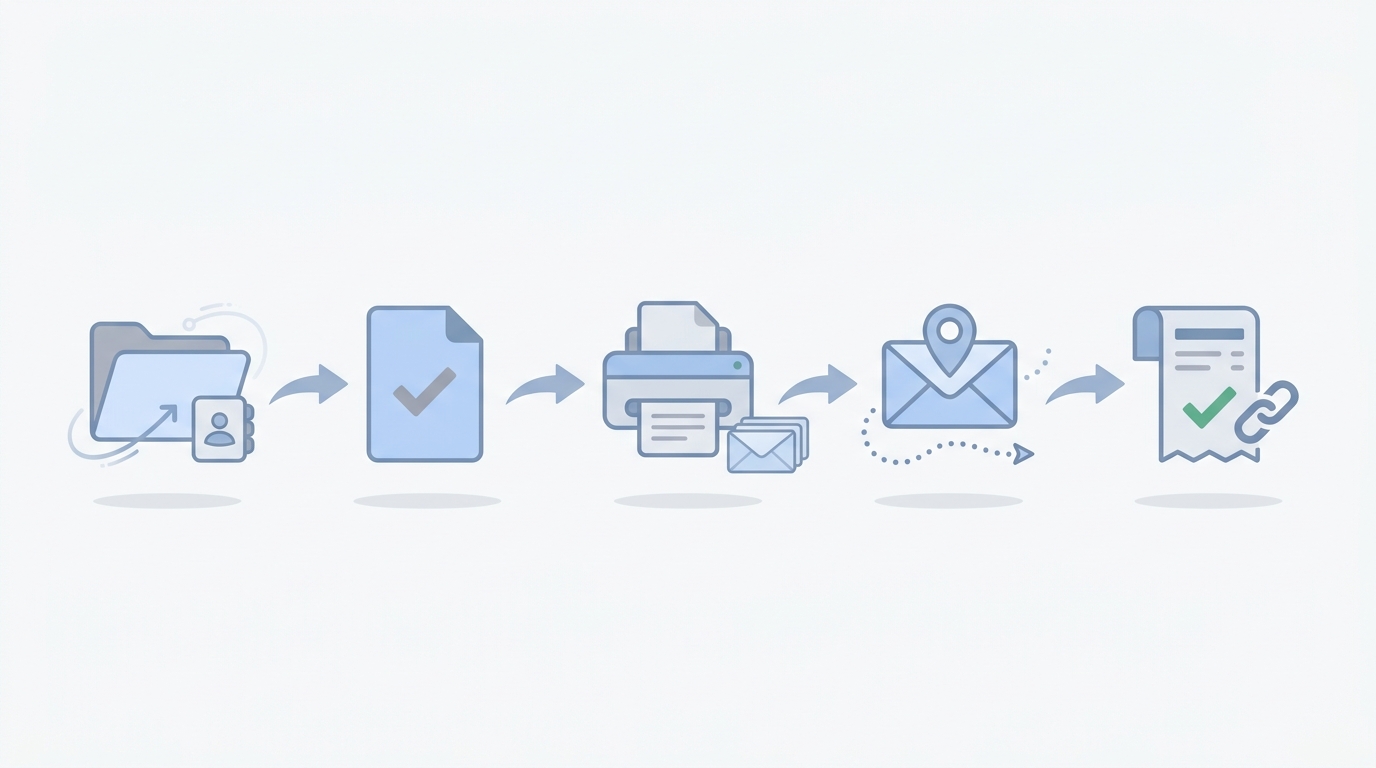
Benefits and Adoption of DocuPost mail automation for law firms
DocuPost mail automation for law firms has clear benefits for legal teams. Since launching in 2021, the platform grew to more than 80,000 users across industries. As a result, law firms rapidly adopted it after the May 2026 native integration with Clio. The integration allowed users to send mail from a Matter, Contact, or Document in Clio, which eliminated export workflows and manual retyping.
Many firms describe the problem plainly. “We send a lot of mail, but we weren’t consistently tracking it, billing it, or tying it back to matters.” This single observation drives much of the demand for virtual mail automation. Because mail handling often sits with intake and admin staff, manual steps create errors and missed recovery opportunities.
How DocuPost reduces friction
- Eliminates duplicate data entry because contact and matter data sync automatically. Therefore, address errors drop and staff spend less time correcting records.
- Tracks every mailing with delivery status and return receipts so lawyers and staff have proof. As a result, audit readiness improves and discovery responses get faster.
- Provides real time expense attribution so postage and printing costs post directly to matters. Consequently, billing reconciliation happens without extra bookkeeping.
Operational benefits for law firms
- Time savings: firms report reclaiming administrative minutes per client, often 15 to 20 minutes or more. Therefore, teams can focus on client work instead of mailing tasks.
- Accuracy and compliance: first class, certified, and priority mail options reduce risk because tracking and receipts back up filings.
- Cost control: per piece pricing and no subscription lower financial barriers. Because there is no minimum usage, small practices can scale without waste.
Integration ecosystem and workflow gains
DocuPost connects with Filevine, HubSpot, QuickBooks Online, Xero, and Zapier. These connections extend automation beyond mail. For example, syncing with accounting tools automates expense reconciliation and improves collections, and CRM links streamline marketing mailouts.
Adoption snapshot and final impact
Early adoption after the Clio release was immediate because the Clio integration removed manual friction. Consequently, firms saw faster billing, clearer audit trails, and higher recovery of billable expense. In short, DocuPost combines mail automation, tracking, and accounting sync to deliver measurable workflow improvements for law firms.
DocuPost mail automation for law firms: Plans and Feature Comparison
Compare per piece pricing, mail services, integrations, and tracking. The table below helps firms decide which mail automation option fits their workflow and budget.
| Plan | Price (per piece) | Printing options | Mail options | Subscription and minimum usage | Integrations | Tracking and billing features | Key benefits |
|---|---|---|---|---|---|---|---|
| Pay As You Go | From 95¢ per letter | Black-and-white; Color available | First Class Mail; Certified Mail; Priority Mail; Return receipt | No subscription; No minimum usage; Pay for what you send |
Clio; Filevine; HubSpot; QuickBooks Online; Xero; Zapier |
Full USPS tracking; Each mailing logged to Matter or Contact; Postage and printing costs attributed in real time for billing reconciliation | Low commitment; Ideal for small firms and sporadic mail volume; Eliminates manual folding and stuffing |
| Premium | Per-piece pricing (starts at 95¢) | Black-and-white; Color available | First Class Mail; Certified Mail; Priority Mail; Return receipt | Subscription required; No minimum usage; DocuPost refunds first month’s subscription fee for Premium plan |
Clio; Filevine; HubSpot; QuickBooks Online; Xero; Zapier |
Automated logging to matters in Clio; Tracking visibility for Certified and Priority; Real time expense capture improves billing and audit trails | Best for growing practices that mail regularly; Offers centralized tracking and expense attribution |
| Enterprise | Custom per-piece pricing with volume options | Black-and-white; Color available; Custom printing options possible | First Class Mail; Certified Mail; Priority Mail; Return receipt | Subscription required; Enterprise onboarding and support; First month’s subscription fee refunded for Enterprise plan |
Clio; Filevine; HubSpot; QuickBooks Online; Xero; Zapier |
Full audit trail with mail timestamps; Matter-level expense attribution; Enhanced reporting for billing reconciliation | Designed for high-volume law firms and corporate legal teams; Prioritizes compliance and reporting |
Conclusion: DocuPost mail automation for law firms delivers measurable ROI
DocuPost mail automation for law firms streamlines workflows, reduces costs, and strengthens audit trails.
Because it automates printing, postage, and tracking, teams spend less time on admin.
As a result, billing reconciliation becomes faster and more accurate.
The platform supports First Class, Certified, and Priority Mail with full tracking.
Moreover, per piece pricing and no subscription lower overhead and financial risk.
Integrations with Clio, Filevine, HubSpot, QuickBooks Online, Xero, and Zapier extend automation across systems.
Law firms reclaim staff hours and improve recovery of billable expenses.
Early adoption surged after the May 2026 Clio integration, demonstrating clear demand.
Because each mailing logs to matters, compliance and discovery responses get easier.
Case Quota helps small and mid sized law firms win market share.
It applies advanced marketing strategies used by Big Law, at scale and lower cost.
Visit Case Quota to learn how DocuPost mail automation fits a winning tech stack.
Adopt DocuPost to cut manual steps, improve accuracy, and capture expenses every time.
In short, this solution offers cost effective, integrated mail automation built for legal teams.
Start small, test integrations, and scale with confidence.
Reach out to learn implementation timelines.
Frequently Asked Questions about DocuPost mail automation for law firms
How much does DocuPost cost?
DocuPost uses per piece pricing that starts at 95¢ per letter. Because pricing varies by mail class and options, Certified and Priority services cost more. Also, color printing may raise the per piece rate. There is no subscription required for pay as you go. However, Premium and Enterprise plans add features and support. DocuPost refunds the first month for those paid plans, so firms can try with low risk.
How easy is integration with Clio?
DocuPost released a native May 2026 integration with Clio. Therefore, you can send mail directly from a Matter, Contact, or Document. Contact and matter data sync automatically, so you avoid duplicate data entry. As a result, address errors drop and staff spend less time fixing records. Integration takes minutes for common setups and support teams assist when needed.
Does DocuPost provide tracking and audit trails?
Yes. DocuPost supports First Class, Certified, and Priority Mail with full tracking. It logs every mailing to the corresponding matter or contact for an audit trail. Because postage and printing costs capture automatically, billing reconciliation becomes simpler. Return receipts and delivery timestamps help with compliance and discovery.
Do I need a subscription or minimum usage?
No. DocuPost offers no subscription and no minimum usage for pay as you go. Therefore, small and mid sized firms can adopt the service without long commitments. If you prefer more features, Premium and Enterprise plans are available. Both plans include options to refund the first month fee.
How quickly will my firm see benefits?
Many firms report reclaiming 15 to 20 minutes of admin time per client. Early adoption spiked after the Clio release, and DocuPost now serves 80,000 plus users across industries. Consequently, firms see faster billing, fewer errors, and improved expense recovery within weeks.