

Google back button hijacking ban: How it reshapes local SEO for law firms
Google just changed the rules of engagement in search. Because of a new enforcement move, sites that trap users with deceptive scripts now face spam penalties. This Google back button hijacking ban begins enforcement June 15. For law firms, the timing matters because local search and client acquisition depend on trust and visibility.
What the ban is and why it matters
Google classifies back button hijacking as a malicious practice. In short, scripts that prevent users from leaving or that override browser navigation are now spam violations. As a result, publishers and site owners can get manual actions. Moreover, Google will send the exact spam report text to site owners in Search Console if it triggers enforcement. Therefore, the stakes are higher than before.
Immediate practical impacts for law firms
Local SEO now requires an audit of every script on your site. Advertisements, widgets, and third party libraries can cause violations, because publishers remain liable. So law firms should inventory all plugins and ad scripts. They should remove or update offending code within the two month window. Otherwise, a manual action can reduce visibility in Google Maps and local search.
Why agentic search makes this more urgent
Google’s agentic search rollout amplifies automated actions in search results. AI Mode can book services and favor partner platforms. Therefore, firms that lose organic visibility may also lose referral and booking opportunities. As a result, the combined effect can harm client intake and lead-generation KPIs.
What this introduction sets up
This article analyzes how to audit scripts, respond to manual actions, and adapt local SEO strategies. It offers steps for mitigation, monitoring, and optimizing presence as Google expands agentic features.
Google back button hijacking ban explained: what law firms must know
What is the ban in plain terms? Google now treats scripts that interfere with the browser back button as a spam violation. Enforcement begins June 15. Because of this change, sites that trap or redirect users risk manual actions and demotions.
Enforcement dates and policy classification under spam violations
- Enforcement start date: June 15. Therefore, site owners have a clear deadline to act.
- Policy bucket: Classified under malicious practices in Google’s spam policies. For official guidance, see Google’s spam policies.
- Reporting changes: Google updated its report-a-spam guidance and now states user reports can trigger manual actions. See Google’s report-a-spam guidance for details.
Why publishers remain liable because of ad libraries and third-party scripts
- Many instances of back button hijacking come from included libraries, ad networks, or widgets. As a result, publishers carry responsibility even when they did not write the code.
- Therefore, law firms and other small businesses must audit every script on their site.
- Example: An ad script from a third-party network injects navigation handlers that block back navigation. The publisher still faces a manual action.
Common technical culprits and simple examples
- Event listeners that override window.onpopstate or history.pushState. These can intercept back navigation.
- Modal or overlay scripts that trap focus and prevent page unload without an explicit close action.
- Ad libraries that add invisible redirects or use aggressive URL rewriting.
- For example, a booking widget that captures back events to re-open itself can trigger the violation.
Reconsideration options after manual actions
- If Google issues a manual action, they will send details via Search Console. After June 15, reports may include verbatim user-submitted text.
- First step: Remove or patch offending code across all affected pages. Next, verify fixes on a staging site. Then submit a reconsideration request through Search Console.
- Be thorough in your submission. Explain exactly which scripts you removed, who supplied them, and how you verified the fix. For guidance on manual actions and reconsideration, consult Google’s Manual Actions Help documentation at Google’s Manual Actions Help and audit your remediation steps accordingly.
Practical mitigation checklist for law firms
- Inventory every script and plugin. Do not forget ad tags and widgets.
- Isolate and test scripts in a staging environment before deployment.
- Replace or update any third-party library that demonstrates hijacking behavior.
- Monitor Search Console messages daily because Google now uses spam reports to prompt human review.
Expert reactions and quick takeaways
Glenn Gabe summed up the shift clearly. He noted “Now spam reports have direct relation to Google issuing manual actions against domains…” because Google will send the submitted content to site owners. This raises the cost of ignoring third-party code.
Aleyda Solís added perspective about agentic features. She observed, “Google expands agentic restaurant booking in AI Mode globally: You still need to complete the booking via Google partners though.” Likewise, law firms should expect Google’s agentic moves to change how clients find and book services.
In short, the Google back button hijacking ban changes liability and strategy. Act now to audit scripts, eliminate risky libraries, and protect local search visibility.
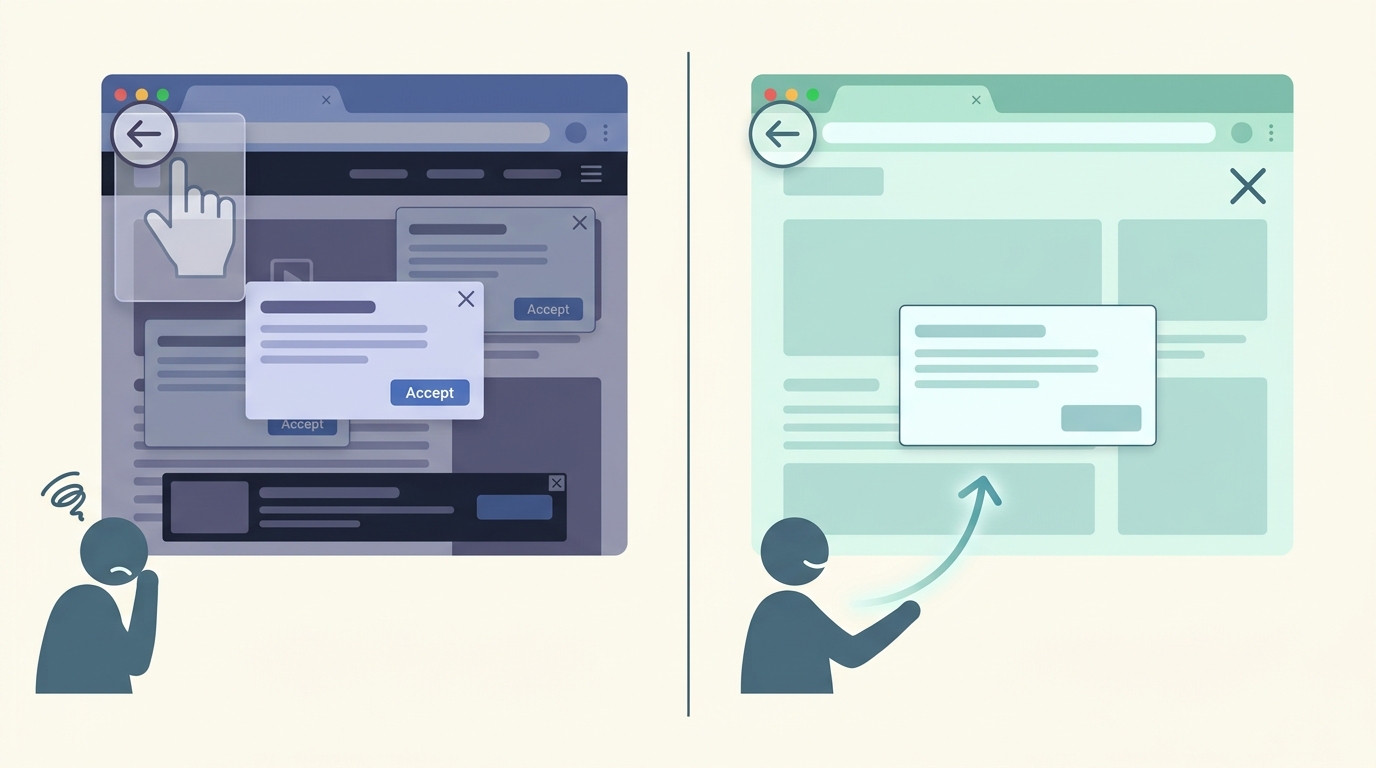
Illustration showing a left panel with intrusive back button hijacking behavior and a right panel with a compliant, user-friendly browsing experience.
How Google’s agentic search rollout and AI Mode matter for local SEO and client acquisition
Google’s agentic search features show how search is becoming action oriented. AI Mode can complete tasks for users. For example, agentic restaurant booking finds real-time availability and books through Google partners. Therefore, search can route transactions away from business websites.
Agentic search and AI Mode explained in practice
- Agentic search means the engine can act on a user’s behalf. As a result, Google may prioritize partner flows.
- AI Mode aggregates options and completes bookings through partners rather than the merchant site. For more context, see this reporting on agentic booking: Google extends AI travel planning and agentic booking in search.
- Aleyda Solís observed the limitation well: “You still need to complete the booking via Google partners though.” See her analysis at Aleyda Solís on Google AI Mode.
Direct parallels from restaurant bookings to law firm lead flow
- Restaurants lose some direct bookings when Google funnels reservations to partners. Similarly, law firms could lose initial contact opportunities if Google handles scheduling or intake through its agents.
- Therefore, visibility in traditional organic listings may no longer guarantee client acquisition. Law firms must map new touchpoints where Google inserts agentic actions.
Local SEO implications for law firms
- Local pack rankings remain important, but agentic features can reorder user paths. Thus, firms must optimize for the places Google reads to complete actions, like Google Business Profiles and partner platforms.
- Firm websites should offer strong structured data and immediate signals for trust. For example, ensure accurate local schema, fast pages, and clear contact intents. These steps increase the chance Google uses your data rather than a partner’s.
Tactical shifts to protect client acquisition
- Claim and optimize Google Business Profile. Do not leave booking or intake fields empty.
- Integrate with reputable partners that Google favors, when appropriate. However, maintain a direct, frictionless intake form on your site as backup.
- Track referral patterns closely. Use UTM parameters and server logs to detect shifts in traffic and conversions.
Measurement and KPI changes
- Monitor local impressions and conversion paths. As a result, you must expand KPIs to include partner-driven bookings and calls routed by Google.
- Also, watch for drops in organic sessions that coincide with agentic feature rollouts. These may signal the need to adapt messaging or to integrate with partner channels.
Final takeaways
Agentic search and AI Mode magnify the importance of presence where Google acts. Therefore, law firms should combine classic local SEO with partner integration and robust on-site intake. Doing so protects client acquisition as search evolves.
Quick comparison: Traditional SEO versus Agentic Search Strategy
| Feature | Traditional SEO | Agentic Search Strategy |
|---|---|---|
| Primary goal | Drive organic clicks to your website and convert visitors via forms and calls. | Enable presence where Google acts, and capture actions or partner-driven leads for client acquisition. |
| Visibility control | Strong control over on-site content and user experience. However, rankings can fluctuate. | Lower control because Google or partners may host actions. As a result, you must optimize external touchpoints. |
| Traffic source | Organic search, local pack, backlinks and direct referrals. | Agentic snippets, AI Mode actions, and partner booking flows. |
| Booking and intake | Users land on the firm site, then complete intake or schedule calls. | Google may complete scheduling via partners, which reduces direct site interactions. |
| Technical requirements | SEO content, local schema, fast pages, secure forms and backlink profile. | Structured data, API or partner integrations, real-time availability signals, and robust attribution. |
| Compliance and liability | Focus on UX and content quality, plus standard privacy and cookie rules. | Also monitor third-party scripts and ad libraries to avoid spam violations like back button hijacking. |
| KPIs and measurement | Organic sessions, rankings, click-through rates, and on-site leads. | Action completions, partner bookings, Google-driven calls, and impressions in agentic features. |
| Advantages | Direct brand control, richer onsite analytics, and full conversion ownership. | Faster conversion for users, potential visibility boost in AI Mode, and lower friction for client acquisition. |
| Challenges | Requires ongoing content and link building, which takes time. | Less ownership of the journey, potential revenue leakage to partners, and new measurement complexity. |
Conclusion: Move fast, protect visibility, and win clients
The Google back button hijacking ban and the broader agentic search rollout change the rules for local SEO. Enforcement of back button hijacking begins June 15, and Google now treats these scripts as spam under malicious practices. At the same time, AI Mode and agentic features can complete actions on behalf of users. Consequently, both liability and opportunity have shifted for law firms.
Therefore, law firms must act on two fronts. First, audit every third-party script and ad library to remove hijacking behavior. Second, optimize the channels where Google acts, such as Google Business Profile and partner integrations. Additionally, strengthen on-site intake and structured data to retain control over conversion paths. These steps reduce the risk of manual actions and secure client acquisition.
Strategically, adapt your measurement and partnerships. Track partner bookings, Google-driven calls, and on-site conversions. Use UTM parameters, server logs, and Search Console alerts to detect shifts quickly. If you need help, consider a specialist. Case Quota is a legal marketing agency focused on small and mid-sized law firms. They leverage Big Law strategies to win market share and can help firms adapt to these search changes. Visit Case Quota for details and support.
Finally, treat these changes as an advantage. Firms that remove risky scripts and optimize for agentic flows will outcompete peers. Act now, test fast, and measure consistently. With the right audit, integrations, and strategy, your firm can protect visibility and convert more clients as search evolves.
Frequently Asked Questions (FAQs)
What exactly is the Google back button hijacking ban and who is liable?
The ban classifies scripts that interfere with browser navigation as spam under malicious practices. Enforcement starts June 15. Therefore, any script that traps users, blocks the back button, or forces redirects can trigger a manual action. Publishers are liable even when third-party ad libraries or widgets cause the behavior. As a result, don’t assume vendor code is safe. For official details, see Google’s spam policies at Google’s Spam Policies.
How will the ban affect my law firm’s local SEO and client acquisition?
Short answer: visibility and trust can suffer. If Google issues a manual action, your site may lose ranking and appear less in local packs. Because Google now accepts spam reports that can trigger manual reviews, you may receive Search Console notices containing user-submitted text. Therefore, manual actions can reduce calls, form submissions, and booking opportunities. Also, agentic features like AI Mode can reroute users to partner flows. As a result, firms should treat this as both a risk and an incentive to improve site hygiene. For guidance on how reports can prompt actions, review Google’s report-a-spam documentation at Google’s Report a Spam Documentation.
What immediate audit and remediation steps should law firms take?
Take these practical steps now:
- Inventory all scripts and tags site-wide, including ad libraries, analytics, and widgets.
- Test each script in a staging environment to watch for navigation interception.
- Replace or update offending third-party libraries quickly. Contact vendors directly if needed.
- Remove any aggressive overlays or navigation handlers that block back events.
- Monitor Search Console daily for messages and manual action alerts.
- Document every remediation step for any future reconsideration request.
Will Google’s agentic search and AI Mode remove my firm’s direct intake or bookings?
Possibly, if Google chooses partner flows. Agentic restaurant booking shows how search can complete transactions via partners. Therefore, some users may never reach your site. To reduce leakage, optimize Google Business Profile, implement clear structured data, and offer quick, frictionless on-site intake as a backup. For context on agentic booking behavior, see reporting at Search Engine Journal on Agentic Booking.
If my site receives a manual action, how do I request reconsideration and what should I include?
Follow this process:
- Remove or patch the offending code across all affected pages.
- Test the fix in staging and then deploy to production.
- Collect evidence: before and after screenshots, script lists, vendor correspondence, and test logs.
- Submit a thorough reconsideration request via Search Console. Explain what you removed, why, and how you verified the fix.
Because Google may forward verbatim user reports in manual action notices, be detailed and transparent in your submission. For more on how reports can trigger action, see Google’s Report a Spam Documentation.
If you still have questions, prioritize the audit and consider professional help. Acting quickly preserves rankings, client acquisition, and trust.