

Chrome vertical tabs for productivity and multitasking provide a fast way for small teams to tame tab overload. For legal marketers and busy law firm teams, multitasking can fragment focus and slow conversions. Therefore, adopting browser features that improve workflow becomes a practical investment.
Google’s new vertical tabs move tab navigation to the side of the browser window. They show full page titles and make tab groups easier to manage. As a result, lawyers and marketers can switch between case research, ads, and analytics faster. Because many campaigns require multiple dashboards and creative assets, side tabs reduce clutter and context switching.
However, firms still face a learning curve when adapting to a new layout. Still, the productivity gains often outweigh the initial adjustment, especially for double digit tab counts. With clear organization and disciplined tab habits, vertical tabs can streamline campaign management and boost billable time.
Moreover, law firms seeking practical tech solutions will find this feature aligns with hybrid workflows. Ultimately, Chrome’s vertical tabs offer a simple, low cost change with tangible benefits. Try it on a pilot basis to measure real time improvements in team productivity.
Chrome vertical tabs for productivity and multitasking
Chrome’s vertical tabs shift tab navigation to the left side of the browser window. For legal marketers and small business teams, this change improves tab management and reduces clutter. You can activate the feature quickly by right clicking on an open Chrome window and selecting Show Tabs Vertically. As a result, your tabs display along the side rather than across the top.
Key activation and usage steps
- Right click on an open Chrome window
- Select Show Tabs Vertically
- Use the vertical strip to view full page titles and identify pages fast
- Group related tabs and collapse groups to focus on one task at a time
Why this helps productivity and multitasking
- Better visibility because vertical tabs show full page titles. Therefore, you spend less time guessing which tab holds the right dashboard or document.
- Improved organization since tab groups sit naturally along the side. As a result, you can keep research, ad dashboards, and client work separated.
- Scales with volume because double digit tab counts become readable and manageable. For busy ad campaigns, this reduces context switching.
- Reduced visual noise so teams can concentrate on billable work. However, remember that too many open tabs can still cause distraction.
User experience insights and tradeoffs
- Learning curve: expect a short adjustment period when you switch. However, most users adapt in a few sessions.
- Habit benefits: once teams create a disciplined tab system, workflow speeds up and task handoffs become smoother.
- Practical limits: vertical tabs improve focus, but they cannot replace good tab hygiene. For example, close or archive tabs you no longer need.
Chrome’s team summed it up well: “By moving your tabs to the side of your browser window, you can read full page titles and manage tab groups with ease,” Chrome’s team noted in their announcement.
For technical readers who want more coverage and testing notes, see this report from PCWorld at PCWorld and this overview at TechCrunch TechCrunch. You can also review MacRumors for screenshots and rollout details at MacRumors.
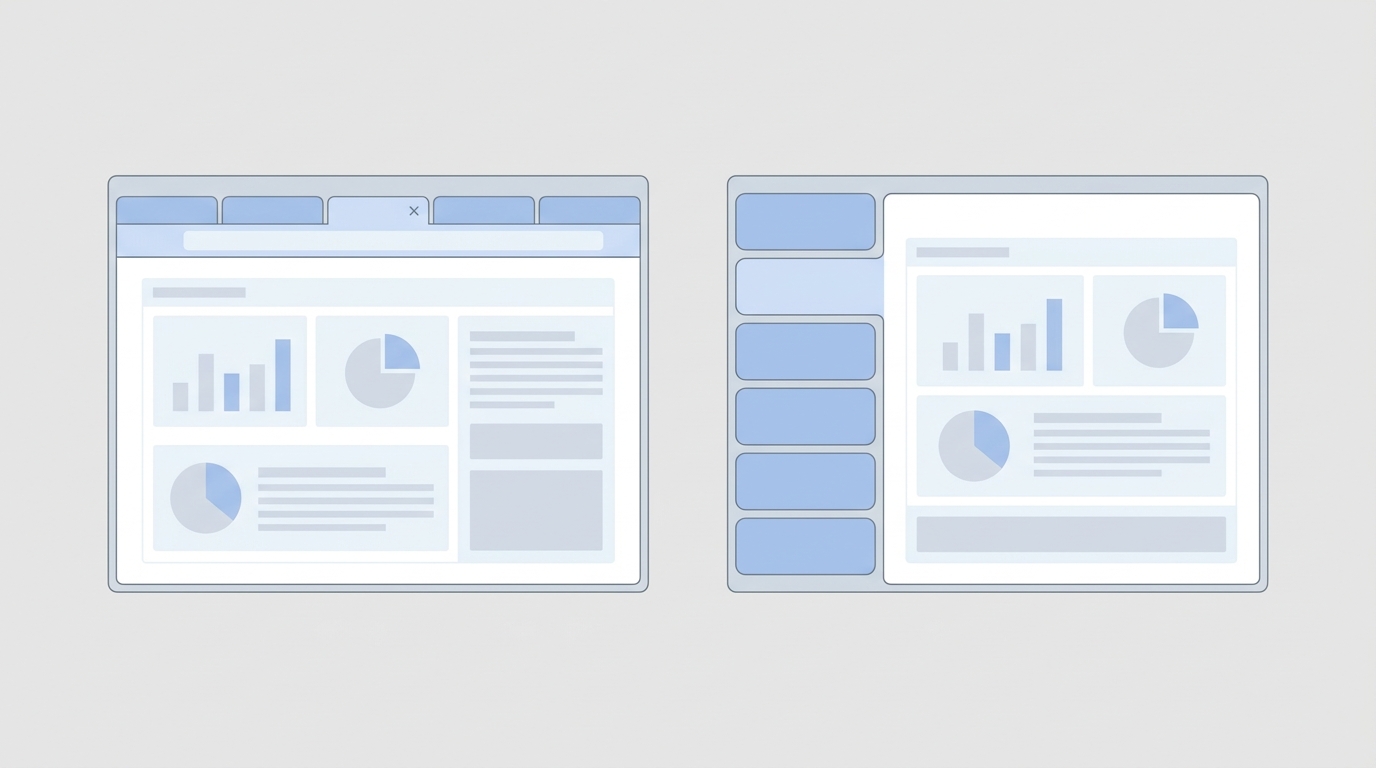
Chrome vertical tabs for productivity and multitasking: horizontal vs vertical comparison
Use the table below to compare common criteria. It helps legal marketers and small teams pick the right layout for complex workflows.
| Criteria | Traditional horizontal tabs | Chrome vertical tabs (benefits) |
|---|---|---|
| Tab visibility | Tabs run across the top and shrink with more tabs | Tabs list along the side and stay readable even with many tabs |
| Title reading | Often truncated when many tabs are open | Full page titles are visible, so you identify pages faster |
| Ease of tab grouping | Groups exist but are harder to scan | Groups align vertically and are easier to manage and collapse |
| Multitasking efficiency | Switches require hunting across tiny tab labels | Faster context switching thanks to clear labels and groups |
| Scaling with double digit tabs | Performance is usable but visibility drops | Scales well for double digit counts, improving organization |
| Potential distractions | Visual clutter from many tiny tabs | Reduces clutter but too many tabs still distract |
| Learning curve | Familiar layout with minimal change | Short adjustment period; gains follow quick adoption |
| Best use cases | Casual browsing and limited multitasking | Ad campaigns, analytics dashboards, research, complex workflows |
Key advantages of vertical tabs
- Read full titles, therefore find dashboards and documents faster.
- Group related work, therefore reduce context switching.
- Scale to double digit tabs, therefore maintain workflow clarity.
How Chrome vertical tabs improve multitasking and workflow for legal marketers
Legal marketers and small business teams handle many concurrent tasks. For example, teams switch between ad platforms, analytics dashboards, and research. As a result, inefficient tab management costs time and focus. Chrome vertical tabs improve multitasking and productivity by putting side tabs where you can scan them fast.
Practical use cases for marketing and analytics tasks
- Ad campaign dashboards: keep Google Ads, Meta Ads Manager, and reporting sheets in separate tab groups. Therefore, you switch between campaign views faster.
- Analytics monitoring: place Google Analytics, GA4, and data studio pages side by side. As a result, you compare metrics without hunting tiny tab labels.
- Research and outreach: open competitor sites, supplier pages, and outreach templates in ordered groups. Thus, you maintain context during complex research.
- Creative asset management: hold image libraries and file storage tabs in one group. Consequently, designers and marketers find assets faster.
How side tabs change workflows
- Better tab management reduces time wasted on locating pages. Therefore, teams complete routine checks more quickly.
- Clear titles let team members identify the correct tab at a glance. Because of this, handoffs become less error prone.
- Vertical layout scales with double digit tabs, so workflows remain organized under heavier loads.
- Reduced visual noise supports deeper focus during billable work. However, teams must still practice good tab hygiene.
Measurable benefits and productivity gains
- Reduced context switching because groups stay visible and organized. As a result, teams maintain momentum on tasks.
- Faster task completion since full page titles remove guesswork. Therefore, users spend fewer seconds per switch.
- Improved oversight for managers who monitor multiple dashboards. Thus, leaders catch issues earlier and act faster.
Quick implementation tips for law firms
- Pilot with one team, and measure time-to-task before and after. Then, scale if results improve.
- Create named tab groups, and train staff on group conventions. For example, use groups for Clients, Campaigns, Research.
- Use the right click option Show Tabs Vertically to activate side tabs and test layouts.
- Enforce weekly tab cleanups to avoid distraction from long tab lists.
For rollout notes and testing coverage, read reports from PCWorld and TechCrunch. These resources explain feature behavior and early user feedback.
Conclusion
Chrome vertical tabs for productivity and multitasking deliver a clear win for small businesses and legal marketers. They improve tab management and reduce time lost to hunting pages. Therefore, teams gain faster context switching and clearer workflows. As a result, routine tasks take less time and oversight improves.
For law firms, the gains are measurable. Marketers can monitor campaign dashboards, research, and client documents more efficiently. Moreover, managers can spot issues faster and control workload without adding headcount. Case Quota is a specialized legal marketing agency that applies high level strategies used by Big Law. They help small and mid sized firms win market share by combining strategy with practical tools like improved browser workflows. Learn more at Case Quota.
Consider a simple pilot before firm wide rollout. Start with one team, measure time to task, and then scale successful habits. Ultimately, adopting vertical tabs offers a low cost change with fast returns in productivity and multitasking.
Frequently Asked Questions (FAQs)
What are Chrome vertical tabs and how do I enable them?
Chrome vertical tabs move your open tabs to the side of the browser window. To enable the feature, right click on an open Chrome window and select Show Tabs Vertically. After that, your tabs will list along the side and show full page titles for easier identification.
How do vertical tabs help with productivity and multitasking?
Vertical tabs improve tab management because they show full titles and clear groupings. Therefore, legal marketers and small teams find dashboards and client pages faster. For marketing and analytics tasks, side tabs reduce the time spent hunting for the right tab. As a result, teams experience less context switching and steadier workflow.
Will there be challenges or a learning curve?
Yes, expect a short adjustment period when you switch layouts. However, most users adapt within a few sessions. Also, vertical tabs reduce distractions but they do not remove the need for good tab hygiene. Consequently, close or archive tabs you no longer need to avoid clutter.
Which workflows benefit most from side tabs?
Ad campaign management gains immediate value because multiple dashboards stay visible. Research and outreach workflows improve because related pages sit in ordered groups. Creative and asset management teams benefit since they can keep libraries and storage open at once. In short, workflows with double digit tabs scale best with side tabs.
Any quick tips to roll this out across a team?
Pilot the feature with one team and measure time to task before and after. Then, create named tab groups and train staff on conventions for Clients, Campaigns, Research. Use the right click Show Tabs Vertically option to test layouts quickly. Finally, schedule weekly tab cleanups to control distractions and keep productivity high.
If you need deeper adoption tips for legal marketing, remember that organized tab systems support better oversight and faster decision making. These changes remain low cost and fast to implement, and they pair well with other productivity tools for law firms.