
Social media video editing isn’t just about snipping a few clips together. It’s the art of taking raw footage and shaping it into a polished, compelling story for platforms like Instagram, LinkedIn, and Facebook. For a law firm, this means turning a simple recording into a powerful tool that builds trust, demystifies complex legal topics, and ultimately, brings in new clients.
You’re not just trimming videos; you’re crafting a narrative that showcases your firm’s authority and connects with your audience on a human level.
Why Video Editing Is a Non-Negotiable for Law Firms
In a digital space crowded with attorneys, just showing up isn’t enough. You have to make a meaningful connection, and that’s where strategic social media video editing comes in. It’s not a cosmetic touch-up; it’s the critical bridge between your firm’s deep expertise and a potential client’s search for clear, trustworthy guidance.
Let’s be honest, unedited footage often feels disjointed and amateurish. That first impression can undermine your credibility before you’ve even made your point.
A polished video immediately signals professionalism and an eye for detail—the very qualities every client looks for in their legal counsel. Imagine a potential client scrolling through their feed. They’re making split-second judgments. A video with clean cuts, crisp audio, and subtle, professional branding will stop that scroll far more effectively than a shaky, poorly lit clip ever could.
From Legal Jargon to Client-Focused Content
One of the biggest hurdles for any attorney is breaking down dense legal concepts into something the average person can actually understand. Video editing is your best friend here.
For example, an estate planning attorney can use simple text overlays and graphics to clearly show the difference between a will and a trust. A personal injury lawyer can edit a video to visually walk someone through the crucial steps to take right after an accident.
These edits do more than just simplify things; they show you get it. They prove you understand your client’s perspective and are committed to making the legal process less intimidating. This is how you build a real foundation of trust, long before a consultation is ever booked. You’re no longer just a lawyer on camera; you’re a helpful guide.
A well-edited video does for your digital presence what a well-tailored suit does in the courtroom: it commands respect and conveys confidence. It’s a vital component of a modern law firm’s communication strategy.
Tangible Outcomes in a Competitive Market
At the end of the day, your marketing needs to generate leads. Great social media video editing does exactly that by boosting engagement and watch time. Social media algorithms love content that keeps users on their platform, so they’ll push your well-edited videos to a much wider audience.
Simply adding captions can make your content accessible to the 85% of Facebook users who watch videos with the sound off. That’s a massive audience you’d otherwise miss.
This hands-on approach is a cornerstone of learning how to market a law firm in today’s world. Each polished video you create becomes a lasting asset, working around the clock to build your firm’s reputation and attract qualified leads.
Building Your Pre-Production Blueprint
Great social media videos don’t just happen. They’re built on a solid foundation long before you ever hit “record” or open your editing software.
I’ve seen too many firms waste time and money on footage that looks good but goes nowhere. The secret isn’t spontaneous creativity; it’s having a well-defined plan. Without that blueprint, you’re just shooting in the dark.
Your very first step is to nail down one, and only one, objective for each video. Are you trying to bring in new personal injury clients? Or are you aiming to educate your existing estate planning clients about new laws? Every single decision you make—from the first word of the script to the final cut—has to serve that one core purpose.
This sharp focus is a cornerstone of any effective law firm content marketing strategy. A video that tries to do everything at once will almost always accomplish nothing.
Scripting for Clarity, Not Complexity
Once your goal is set, the script is everything. For lawyers, the biggest trap is falling back into dense legal jargon. Remember, your audience isn’t made up of other attorneys. They’re people looking for clear, straightforward answers and a reason to trust you.
Write your script like you’re talking to a client sitting across the desk from you. It should be conversational. A great trick is to read it out loud—you’ll immediately catch any phrases that sound stiff or unnatural. A good script feels approachable and builds confidence by making a complex topic feel simple.
Think of your script as a closing argument to a jury of potential clients. It needs to be persuasive, clear, and completely free of confusing terminology that could alienate your audience.
Stick to a simple, powerful structure:
- The Hook: Grab their attention within the first 3 seconds. A sharp question or a bold statement works wonders.
- The Problem: Get straight to the point. What legal issue are they actually facing?
- The Solution: Explain how your firm tackles this problem. Offer a piece of real advice or a unique insight.
- The Call to Action: Tell them exactly what to do next. “Visit our website” or “Schedule a free consultation.”
Assembling a Simple, Cost-Effective Toolkit
You absolutely do not need a Hollywood-sized budget to create professional videos. Modern technology has leveled the playing field, putting high-quality tools within reach of any firm.
Your real focus should be on two things: clean audio and good lighting. These have the biggest impact on how professional your video feels.
Start with the basics. The camera on your smartphone is more than powerful enough. Its built-in microphone, however, is not. An external lavalier mic that clips to your shirt is a game-changer. It’s a small investment—often under $50—that makes your audio sound ten times better.
Lighting is just as crucial. A simple ring light or a couple of small LED panels can wipe out harsh shadows and give you a clean, well-lit shot. Getting these inexpensive pieces of gear will ensure your raw footage is solid from the start, which makes the entire editing process faster and a whole lot easier.
Mastering the Core Editing Techniques
Okay, you’ve got your plan and your footage. Now the real magic happens. This is where you stitch together raw clips and transform them into a compelling story that stops people mid-scroll. Forget about Hollywood-level special effects; powerful social media video editing for a law firm is all about nailing the fundamentals of pacing, structure, and clarity.
Your first, and arguably most important, job is to win the battle for attention. Those first three seconds are everything. A killer hook isn’t just a good idea; it’s a hard requirement. It could be a pointed question like, “Are you making this common mistake in your estate plan?” or a bold statement that piques curiosity. The goal is simple: give them a reason to stop scrolling immediately.
Crafting a Compelling Narrative
Once you’ve hooked them, the rhythm of your edit takes over. The pacing sets the tone for the entire video.
If you’re creating an Instagram Reel or a TikTok, you need energy. Think quick cuts, maybe every 1-2 seconds. This fast pace creates a sense of momentum that keeps viewers locked in, waiting to see what comes next. It’s what the algorithm and the audience on those platforms expect.
But that same frantic style would feel jarring and unprofessional on LinkedIn. For a more business-focused audience, a measured, deliberate tempo works better. Holding shots for 4-6 seconds allows you to explain complex ideas and projects an air of authority. You’re not just throwing information out; you’re building a case.
A fantastic way to elevate any video is by weaving in B-roll. This is simply supplemental footage that illustrates what you’re discussing. If you’re talking about business contracts, cut to a quick shot of a handshake or someone signing a document. This simple technique breaks up the visual monotony of a talking-head shot and makes abstract legal concepts feel more tangible.
Trimming clips, adding smooth transitions, and making sure the color looks natural—these are the building blocks of any solid edit.
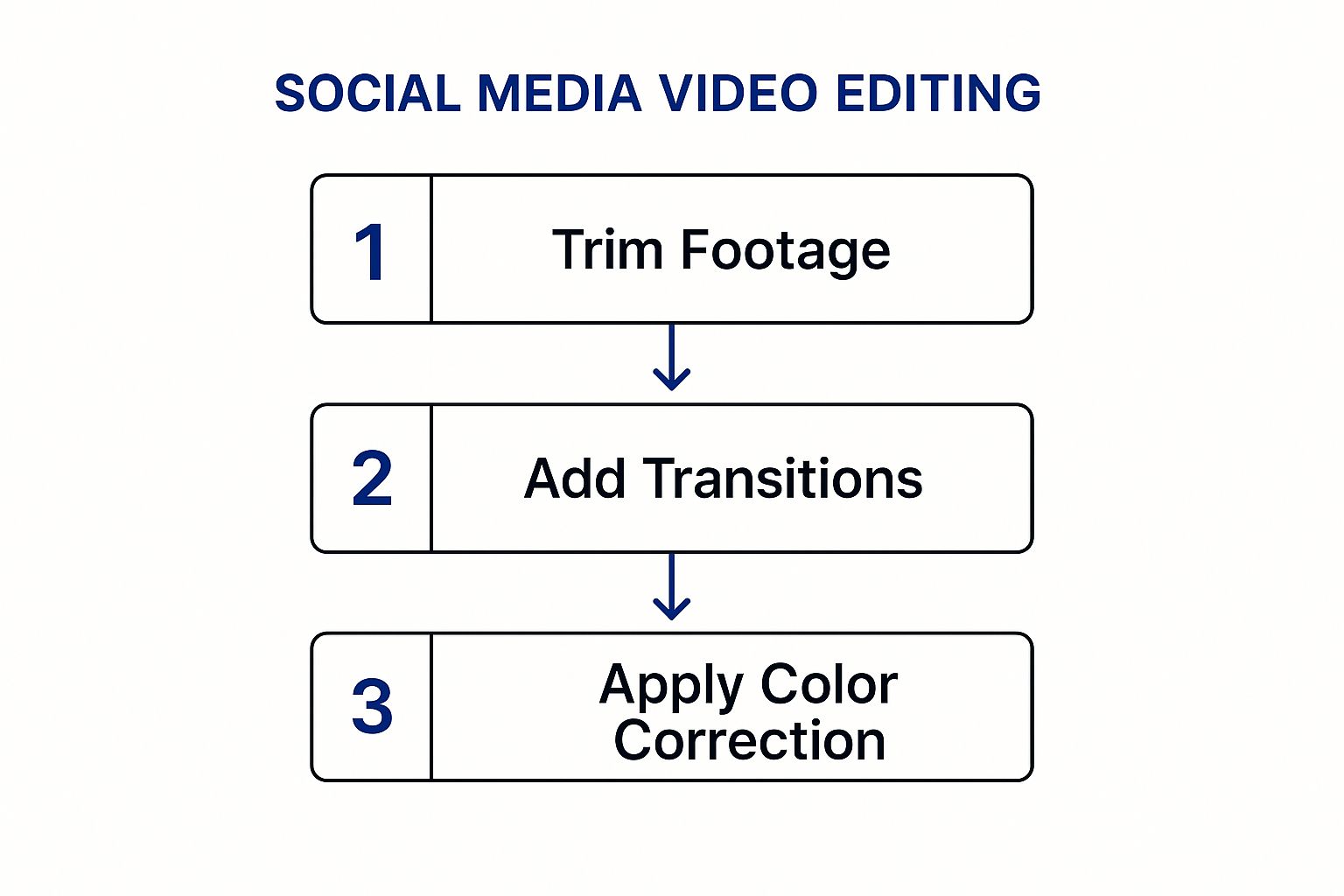
As you can see, each step builds on the last, turning a simple recording into a professional asset for your firm.
Adapting to Modern Viewer Preferences
The rules of the game have changed. Authenticity now trumps overly polished production. Viewers today are looking for a genuine connection, and they often engage more with videos that feel real and unscripted. Minor imperfections, like a slight camera shake or natural background noise, can actually make your content more relatable. The era of the flawless, corporate-style video is fading fast.
Here’s a crucial point: with over 75% of social media video being watched on a phone, editing for a vertical screen is non-negotiable. This means a 9:16 aspect ratio is your default. You have to keep all the important visuals—and especially any text—within the “safe zones” so nothing gets awkwardly cropped on different devices. You can read more about current best practices in these top video editing trends on onadverts.com.
The right editing approach is rarely a one-size-fits-all solution. Different platforms have wildly different audiences and algorithmic priorities.
Platform-Specific Editing Styles for Law Firms
| Platform | Optimal Video Length | Pacing and Cut Style | Key Content Format |
|---|---|---|---|
| 1-3 minutes | Slower, more deliberate cuts (4-6 seconds). Polished and professional feel. | Educational “talking head” videos, case study summaries, firm news. | |
| Instagram Reels | 15-60 seconds | Very fast, dynamic cuts (1-2 seconds). High energy with trending audio. | Quick tips, myth-busting, behind-the-scenes content. |
| TikTok | 15-60 seconds | Rapid-fire, often beat-synced to audio. Uses native effects and text. | Answering common legal questions (Q&A), explaining complex terms simply. |
| YouTube Shorts | Under 60 seconds | Fast-paced, similar to Reels, but can serve as a teaser for longer videos. | Clips from longer videos, quick legal explainers, “Did you know?” facts. |
| 1-3 minutes | Moderate pace. Often viewed without sound, so captions are critical. | Client testimonials, community involvement, explainers with clear on-screen text. |
Matching your editing style to the platform isn’t just a suggestion—it’s how you signal to both the algorithm and the viewer that your content belongs there.
Remember, the best editing is invisible. It should guide the viewer’s focus and clarify your message without drawing attention to itself. The goal is a seamless experience that feels both credible and effortless.
Ultimately, these core techniques are about taking control of the narrative. By mastering hooks, pacing, and platform-specific visual storytelling, you can guide your audience’s experience, hold their attention, and deliver your firm’s message with maximum impact.
Adding Professional Polish to Your Videos
Once you’ve nailed the basic cuts and pacing, it’s the final 10% of polish that makes a video look credible and authoritative. These finishing touches are what separate amateur content from a professional asset that reflects well on your law firm. It’s about more than just social media video editing; it’s about reinforcing your brand’s commitment to quality.
And in a world where video dominates, these details matter more than ever. The average US adult spends 52 minutes per day watching social media videos. With 79% of US consumers watching on their smartphones, your video has to look sharp and be understood, even on a small screen with the sound off. For a deeper dive, check out these social media video statistics at sproutsocial.com.
Start with Clear and Accessible Captions
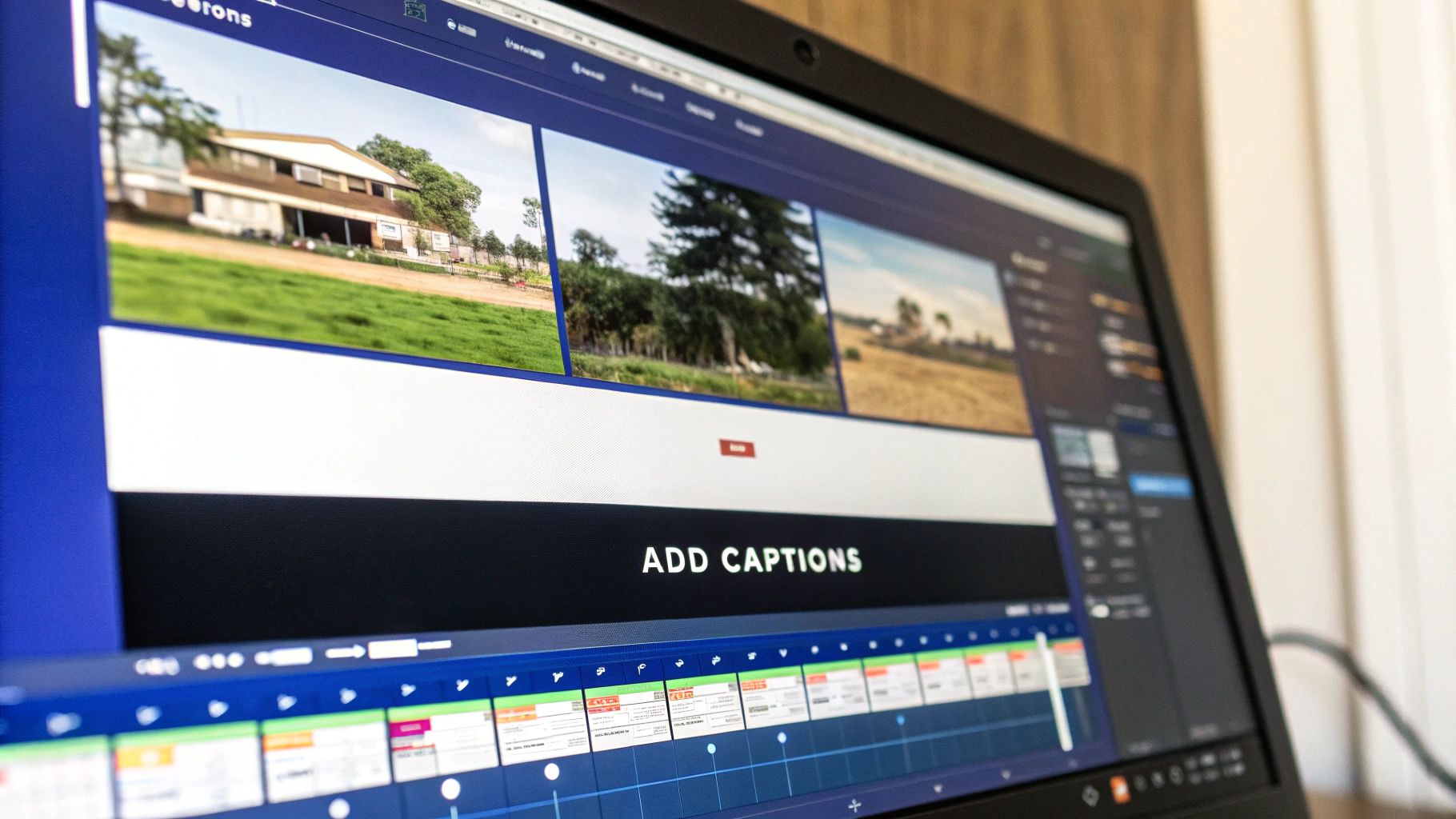
One of the single most important things you can do is add captions. It’s a simple fact: a massive chunk of social media users watch videos silently, whether they’re at their desk or on a noisy train. No captions? Your entire message is lost.
But it goes beyond convenience. It’s about accessibility. Clear captions ensure your firm’s expertise is available to everyone, including people who are deaf or hard of hearing. This isn’t just good practice; it shows your firm is inclusive and widens your potential audience.
Most modern editing tools have auto-captioning features that get you most of the way there. Your job is to double-check them for accuracy—especially with complex legal jargon—and make sure the text is big enough to read easily on a phone.
Choosing the Right Soundtrack
Music can completely transform the vibe of your video, but you have to be careful. The right track adds a layer of professionalism and emotion. The wrong one can sound cheesy, distracting, or even get you into legal trouble if you don’t have the license.
Stick to royalty-free music from a reputable library. For most legal topics, you’ll want something understated and instrumental that sets a confident, approachable tone. The key is to keep the volume low. It’s background texture, not the main event. Your voice needs to be the star.
Your audio mix is a balancing act. The background music should be just loud enough to be felt but quiet enough that your voice remains the clear, authoritative focus.
Implement Simple Branded Assets
Consistent branding builds recognition and makes your firm look polished and established. You don’t need fancy, flying animations. Clean, simple graphics work best.
Focus on getting these three elements right:
- A Lower Third: This is the text graphic at the bottom of the screen showing the speaker’s name and title (e.g., “Jane Doe, Family Law Attorney”). It adds instant credibility.
- A Branded Intro/Outro: A quick 2-3 second bumper with your logo at the start or end of your video helps with brand recall. Just your logo and website URL is often all you need.
- A Clear Call-to-Action (CTA): Never end a video without telling people what to do next. A dedicated final screen with “Schedule a Free Consultation” or “Visit Our Website” turns a passive viewer into a potential lead.
These small touches tie all your videos together, creating a cohesive and trustworthy presence for your firm with every single view.
Choosing Your Video Editing Toolkit
Picking the right software for your social media video editing can feel like a huge task, but it really doesn’t have to be. You’re not trying to become a Hollywood editor. For a busy law firm, the best tools are the ones that are intuitive, efficient, and let you create professional content without a massive learning curve.
The whole point is to find software that fits into your workflow, not one that adds another layer of complexity to your day. Ask yourself: where will I actually be doing this? Are you making quick edits on your phone between meetings, or do you have dedicated time at your desk? That one question will steer you toward either a mobile-first app or a more powerful desktop program.
The Mobile-First Approach for Edits on the Go
For pure convenience, you can’t beat a solid mobile app. This is exactly where a tool like CapCut comes in. It was literally built for creating the short-form, vertical videos that are the lifeblood of platforms like Instagram Reels and TikTok.
CapCut’s interface is incredibly straightforward. You can trim clips, drop in text, and pull from a massive library of trending audio and effects right on your phone.
- Key Strength: It’s all about speed and simplicity. You can take raw footage and have a polished video ready to post in just a few minutes.
- Best For: Fast-turnaround content, like a quick Q&A video answering a common client question or a behind-the-scenes clip from the office.
- Limitation: While it’s a beast for a mobile app, it just doesn’t have the granular control you get with desktop software.
This approach is perfect for firms that want to stay agile and maintain a consistent presence on social media without it becoming a full-time job.
Your choice of editing software is a strategic one. It should feel less like a technical hurdle and more like a dependable assistant that helps you communicate your firm’s expertise clearly and efficiently.
The Desktop Solution for Greater Control
When you need more precision or want to tackle slightly more ambitious projects, desktop software is the answer. But again, you don’t need to dive into something overwhelming like Adobe Premiere Pro right away. An accessible and genuinely innovative tool like Descript offers a powerful alternative that’s almost tailor-made for legal professionals.
Here’s the brilliant part: Descript works like a Word document. It transcribes your video automatically, and you can actually edit the video by just deleting words from the text transcript. It’s a game-changer. This makes it incredibly easy to pull out key quotes for social media graphics or slice up a longer webinar into bite-sized clips. Plus, its auto-captioning is ridiculously accurate, saving you a ton of time. This kind of streamlined process is a cornerstone of effective social media and local video marketing for law firms.
At the end of the day, the best tool is the one you’ll actually use consistently. Start with a user-friendly option like CapCut or Descript. Focus on mastering the essentials—accurate captions, simple branding, and clean cuts. That’s all you need to produce professional videos that build trust and bring the right clients to your firm.
Getting Your Video Out There for Maximum Impact
You’ve done the hard work of editing. The video looks polished, the cuts are clean, and the message is on point. But the final step—exporting and publishing—is where many firms drop the ball. A poor export can turn a sharp video into a pixelated mess, instantly undermining your professionalism before anyone even presses play.
Getting your export settings and publishing strategy right is just as crucial as the edit itself.
The Final Quality Check: Export Settings
Think of exporting as the final coat of polish. Every social media platform has its own quirks, but a few universal rules will ensure your video looks great on LinkedIn, Facebook, Instagram, or anywhere else.
- Resolution: Always export in the highest quality you can. For a standard widescreen video, that’s 1080p (1920×1080). For a vertical video destined for Stories or Reels, use 1080×1920.
- Frame Rate: Keep it simple and stick to 30 frames per second (fps). This is the gold standard for smooth, reliable playback online.
- File Format: MP4 is your best friend here. It’s the universal format that gives you the best mix of high quality and manageable file size.
Nailing these technical details stops the platform’s compression algorithms from wrecking your video quality. It ensures what you see in your editor is what your potential clients see in their feed.
Turning a Video File Into a Client Magnet
With a crisp video file saved and ready, it’s time to publish with a purpose. The text that goes along with your video is what gives it context and, more importantly, drives action. It’s the final piece of the puzzle that can turn a casual viewer into a new client lead.
Your caption needs to be direct and compelling. Start with a hook that summarizes the video’s value, add a bit more context, and always finish with a clear call-to-action (CTA). Tell people exactly what you want them to do next, whether it’s “Schedule a free consultation” or “Learn more on our blog.” You can find more strategies on converting viewers in our guide to law firm lead generation.
The video grabs their attention, but the caption guides their next step. Never post a video without a clear purpose and a direct instruction for your audience.
Don’t forget targeted hashtags. A smart mix of broad legal terms (#LawFirm, #LegalAdvice) and more niche, location-specific tags (#LosAngelesAttorney, #EstatePlanningCalifornia) helps new audiences discover your content.
This combination of a polished video and a thoughtful publishing strategy is what turns your hard work into a genuine firm asset. By 2025, it’s expected that video marketing will generate a 90% increase in ROI for businesses that use it effectively, with video on landing pages boosting conversions by up to 86%.
Frequently Asked Questions
How long should our videos be?
It really depends on where you’re posting. For the fast-scroll world of Instagram Reels and TikTok, you need to get your point across quickly, so aim for 15-60 seconds.
On a more professional platform like LinkedIn, you have a bit more room to breathe. Here, a slightly longer format of 1-3 minutes works well, especially if you’re breaking down a complex legal topic or sharing a client success story.
What’s the most common mistake firms make?
Hands down, it’s neglecting captions. You’d be shocked how many people watch videos on their phone with the sound completely off—in a quiet office, on public transit, or late at night.
If you don’t have captions, your carefully crafted message is completely lost on a huge portion of your audience. All that editing work goes right down the drain. It’s a simple step that makes a massive difference.
How do we make sure our videos follow advertising rules?
This is where you absolutely cannot afford to make a mistake. Ethical compliance is non-negotiable for attorneys. Every video you post is considered an advertisement, so it must include the necessary disclaimers.
These rules vary by state, so you have to know your local bar association’s guidelines inside and out. For example, attorneys in California need a deep understanding of Rule 7.2 on ethical attorney advertising to stay compliant. Always err on the side of caution.