

Google Ads data retention limits: Protecting Law Firm Ad Performance Before History Disappears
The clock is ticking for law firms that rely on long term campaign history. Because Google Ads data retention limits will restrict how long you can access historical reporting data, agencies and in house marketers must act now. These limits cut off backfill and older records in interfaces and APIs, and therefore they threaten daily pacing, seasonality checks, and multi year comparisons.
In practice, this change affects more than charts. For example, data held in BigQuery connectors and the Google Ads API may no longer provide older rows for trend models. As a result, your automated rules, bidding strategies, and auditor friendly reports could lose context. Without archived exports, teams face blind spots when diagnosing performance drops or proving long term ROI.
This article gives clear steps to protect ad performance data before the retention window narrows. You will learn best practices for export, integration, and audit workflows. Also, we cover practical tactics for archiving hourly, daily, and monthly metrics so future analyses stay reliable. By preparing now, law firms can preserve campaign memory, reduce reporting risk, and maintain defensible records for audits and client reviews. Start today.
Google Ads data retention limits: What changes on June 1, 2026
Google announced a new retention policy that narrows access to historical reporting data. Starting June 1, 2026, Google will enforce a 37 month cut off for certain backfill and granular records. As a result, “Starting June 1, 2026, due to changes in Google Ads data retention policies, the BigQuery Data Transfer Service connectors for Google Ads, Search Ads 360, and Google Analytics 4 will stop populating data for backfill runs with dates earlier than 37 months from the current date.” This move shortens the practical window for hourly and daily data that many teams use for trend models.
The policy affects both the user interface and APIs. Google framed the change broadly when it said, “Google Ads published new reporting data retention limits that change how long advertisers can access historical performance data through the interface and APIs.” Therefore, advertisers must plan for reduced direct access to older rows in Google Ads reporting.
Google Ads data retention limits: Interface versus API availability
Interface availability will often match API availability, but differences can appear. The web interface may still show aggregated monthly or yearly summaries. However, APIs such as the Google Ads API may stop returning row level history beyond the retention window. Consequently, automated scripts, third party dashboards, and programmatic exports can lose older daily or hourly metrics.
For law firms this matters because audits and long term ROI calculations rely on consistent granularity. Daily pacing, seasonality checks, and campaign diagnostics will lose historic context. Without archived exports, teams cannot backfill gaps for multi year comparisons. As Roger Montti and other analysts noted, “The practical point is that Google Ads should not be treated as a permanent archive for every level of historical reporting.”
Google Ads data retention limits: BigQuery, Google Analytics, and reporting impacts
Connectors like the BigQuery Data Transfer Service will follow the retention rules. You should expect backfill runs to exclude dates older than 37 months. See Google Cloud documentation for how transfer behavior changes and guidance on managing transfers: Google Cloud guidance. Industry reports also summarize the 37 month limit and practical effects: Industry Report.
In short, this policy reduces the timeline for granular historical data. Therefore, law firms must export and archive now. Otherwise, daily and weekly analyses will lose the older records needed for robust performance audits and seasonality modeling.
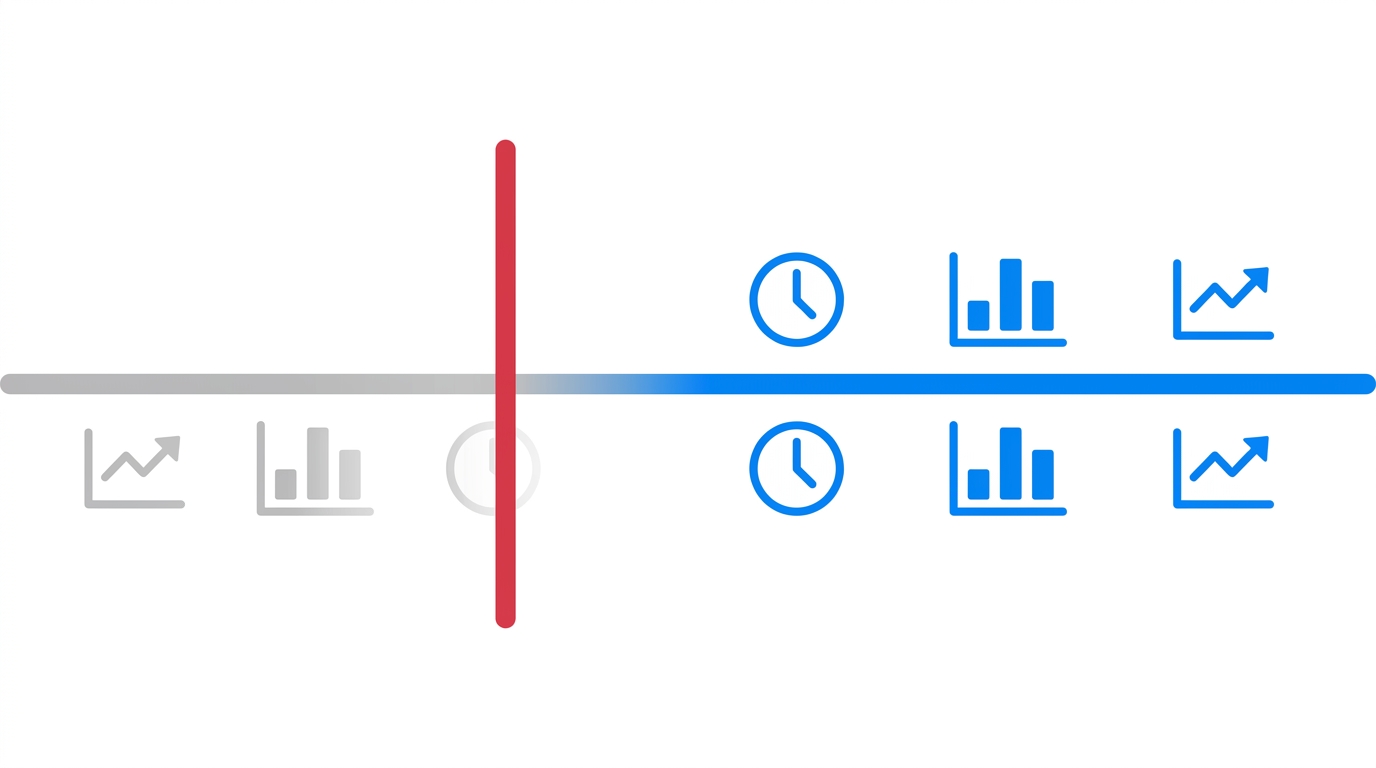
imageAltText: Simple timeline showing accessible recent data in blue, inaccessible older data faded gray, and a red cutoff line representing the 37 month limit
Practical actions to take now to protect law firm ad performance
Export and archive your raw Google Ads data now
Start scheduled exports immediately because systems will stop backfilling older rows. Export daily and hourly slices to maintain granularity. Store raw CSV or Parquet files with clear date stamps. Use cloud storage for durability and versioning. For example, Google Cloud Storage provides durable object storage and lifecycle rules: Google Cloud Storage Overview.
Set up BigQuery Data Transfer Service and verify backfills
If you use BigQuery, configure the BigQuery Data Transfer Service to pull Google Ads and GA4 data. Note that transfer behavior is changing, so test backfill runs now. Google documented transfer changes and migration notes here: BigQuery Transfer Changes. Also, export a historical snapshot to BigQuery before the retention cutoff. This helps preserve hourly, daily, and weekly metrics for later analysis.
Use the Google Ads API for controlled exports
Programmatic exports give you control over schema and frequency. Query the Google Ads API to pull row level metrics, because automated scripts can archive data routinely. Store API responses in compressed files or push them directly to BigQuery. See the Google Ads API developer docs for export patterns: Google Ads API Developer Docs.
Audit current data and prioritize what to save
Review your dashboards and reports to list critical metrics. Prioritize conversions, cost per lead, click quality, and keyword level metrics. Also save supporting fields for attribution modeling. Conduct a gap analysis to find where older history feeds models. As a result, you will know which tables to preserve first.
Practical data archiving strategies
- Snapshot weekly and monthly aggregates as Parquet files for long term storage
- Archive full row level exports for top campaigns and high value dates
- Keep raw event logs from GA4 and match them to Ads exports
- Version exports and include data lineage notes for auditing
Adjust expectations and documentation
Update internal reporting policies and client statements. Explain that hourly and daily history beyond 37 months may not be available. Therefore, set clear boundaries for audits and ROI claims. Document any approximations or modeled data used in older reports.
Test restores and auditability
Do a restore dry run periodically to confirm files reconstruct reports. Validate sample queries against your archived snapshot. Meanwhile, keep an immutable log of export times and versions. This step ensures audit readiness and supports legal or regulatory scrutiny.
Operational checklist before June 1, 2026
- Schedule automated daily exports from Google Ads API or UI
- Push copies to BigQuery and cloud storage for redundancy
- Export GA4 raw events when relevant and link them to Ads data
- Run audits to identify critical tables and metrics to archive
- Train reporting teams on new limits and updated workflows
Take action now because the retention window shrinks soon. By exporting, integrating, and auditing today, law firms can protect campaign memory and preserve defensible historical reporting.
| Option | Best for | Key benefits | Main limitations | Implementation effort | Notes |
|---|---|---|---|---|---|
| Google Analytics 4 export | Linking Ads to site events and user journeys | Exports raw event data to BigQuery. Also helps join Ads clicks to conversions. Relatively low setup if GA4 already in place. | GA4 and its transfers follow retention rules. Therefore, some joined history may be limited. Also needs careful join keys for accuracy. | Low to medium | Use GA4 raw events to complement Ads exports and preserve attribution context. |
| BigQuery Data Transfer Service | Centralized warehouse for large historical exports | Scheduled transfers and direct storage. Good for large datasets and SQL based analysis. Also supports lifecycle rules. | Backfill for dates older than 37 months will stop. Costs accrue for storage and queries. | Medium | Snapshot tables before cutoff and export to long term storage. |
| Google Ads API | Row level control and custom export cadence | Provides granular metrics and campaign level rows. Also allows automated, repeatable exports. Therefore it suits programmatic archiving. | API quotas and schema changes may complicate exports. Also APIs will reflect retention limits. | Medium to high | Script exports to compressed Parquet files or push to BigQuery daily. |
| Manual CSV export from UI | Quick ad hoc backups and spot checks | Fast and simple for small accounts. No code required. | Manual work is error prone and not scalable. Also lacks versioning and lineage. | Low | Good for one off snapshots, not long term strategy. |
| Third party ETL or backup tool | Managed, turnkey archiving and transformations | Handles extraction, retries, and schema mapping. Also offers scheduling and vendor support. | Adds vendor cost. Also depends on API access and retention behavior. | Medium | Evaluate vendors for legal compliance and data ownership terms. |
Use this table to choose a primary archive and at least one redundant backup. For law firms, prioritize immutable snapshots and documented lineage to support audits.
Conclusion
Preparing now for Google Ads data retention limits will save law firms time and risk. Because the 37 month cut off begins June 1, 2026, teams must export, archive, and verify histories today. Otherwise, hourly and daily granularity used for pacing, seasonality, and audits can vanish. As a result, you could lose the context needed to explain performance swings or validate long term ROI.
Do not treat Google Ads as a permanent archive. That practical point matters because interfaces and APIs will stop returning older row level history. Therefore, implement at least two protective measures: automated exports from the Google Ads API and scheduled snapshots to a data warehouse. Also use BigQuery Data Transfer Service or cloud storage for redundancy, and keep GA4 event logs to preserve attribution context.
Key actions to prioritize
- Export row level data daily or hourly, because granularity disappears first
- Snapshot weekly and monthly aggregates for long term trend analysis
- Validate backups with restore tests and document data lineage
- Update reporting expectations and client disclosures before audits
These steps reduce audit risk and support defensible reporting. Moreover, they preserve the historical reporting data that drives seasonality modeling, bid strategies, and client reviews. However, metadata and version tracking also matter, so log export times and retain immutable copies.
If you need specialist legal marketing help, Case Quota offers targeted support for small and mid sized law firms. They apply high level strategies used by Big Law to help firms dominate local markets. Learn more and request assistance at Case Quota.
Frequently Asked Questions
What are the Google Ads data retention limits and when do they take effect?
Google will enforce a 37 month retention cut off starting June 1, 2026. After that date, older row level data may not be available for backfill in connectors and APIs. Therefore, hourly and daily granularity beyond 37 months can disappear. As a result, advertisers must plan exports and archiving now.
How will interface availability differ from API access under the new rules?
The web interface may still show aggregated monthly or yearly summaries. However, APIs like the Google Ads API can stop returning row level history beyond the retention window. For programmatic workflows, test API exports and observe what fields disappear. See the Google Ads API docs for export patterns and quotas.
What should law firms export first to preserve useful historical reporting data?
Prioritize row level data for conversions, cost per lead, and keyword performance. Also export hourly or daily slices used by bid strategies and pacing models. In addition, snapshot weekly and monthly aggregates for long term trend analysis. Use compressed Parquet files and clear date stamps to support data archiving and lineage.
Which integration options make the most sense for a law firm archiving strategy?
Use at least two layers of redundancy. First, pull data via the Google Ads API on an automated cadence. Second, push copies to a data warehouse such as BigQuery. Also consider the BigQuery Data Transfer Service and test backfill behavior now. Finally, store immutable backups in cloud storage for legal defensibility: Cloud Storage Overview.
How can firms verify their archives remain auditable and reliable?
Run scheduled restore tests to rebuild reports from archived files. Validate sample queries against live results and log discrepancies. Also keep an export manifest that records timestamps, schemas, and checksums. As a result, you maintain audit trails and defend past performance claims.
If you need help building a compliant export and archiving plan, follow the practical actions in this article and start exports immediately.